GetLink - All Video Downloader
- 0.0
- Rating
- 100.00K
- Installs
- Free
- Price

 Analysis by App-foxy
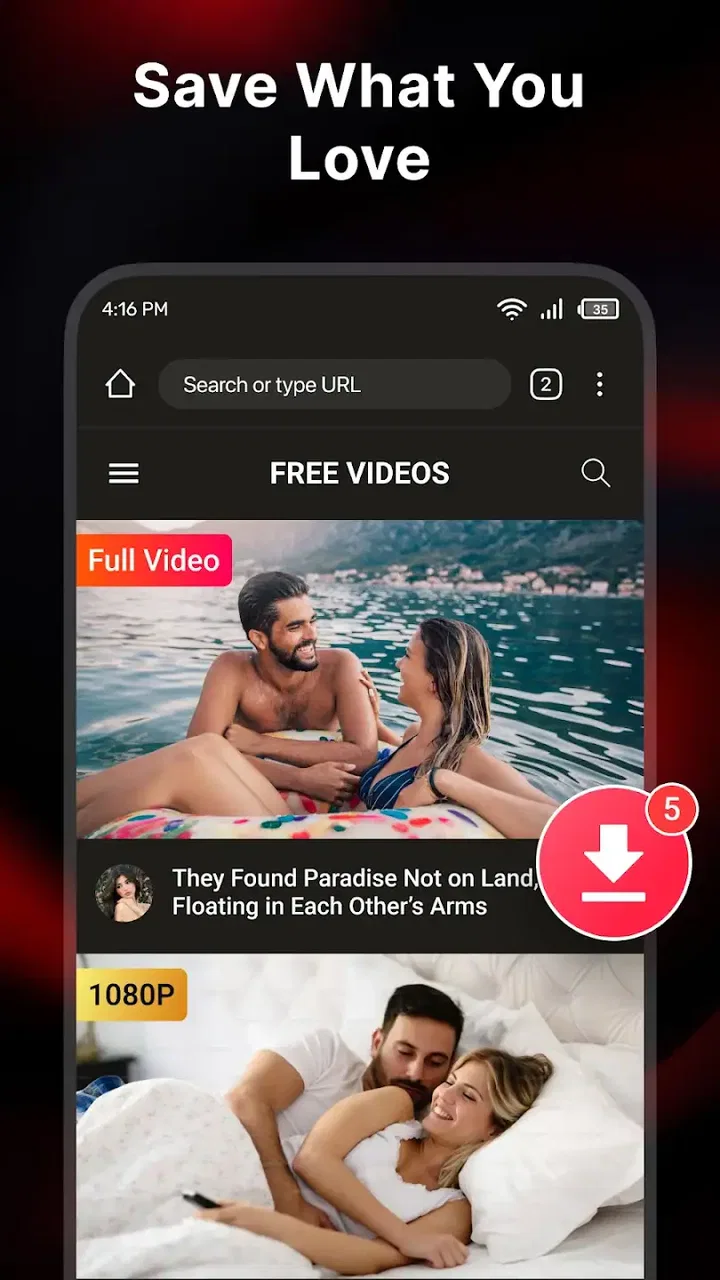
I approached GetLink - All Video Downloader as a practical video utility rather than a full editing suite. Its purpose is easy to understand: help me save videos, play them in HD, and keep the saved material more manageable in one place. That combination makes it appealing when I want fewer separate tools on my phone, especially for occasional offline viewing.
The app comes from EDUCATI BGF and sits in the video players and editors category. It is free to use, carries an Everyone age rating, and has passed the 100K+ install mark. Those details suggest that it is aimed at a broad audience, from casual viewers to people who regularly collect clips for later use. Still, the most important question is not how many people have installed it, but whether its simple workflow fits the way I handle video.
How GetLink feels when speed matters
The first thing I look for in a downloader is how quickly I can move from finding a video to saving it. GetLink presents itself as a fast downloader, so its strongest appeal is the short path between a video link and an offline file. In everyday use, that kind of design matters more than a long list of advanced controls. I do not want to search through unrelated menus when I am preparing something to watch during a commute or while travelling.
You May Also Like

 Pandora - Music & Podcasts
Pandora’s Music Is Easy to Start, but Harder to Recover
Pandora’s strength is its low-effort path from a seed to a station. Its weak spot is how much confidence it asks you to place in connection, setup, and quiet recovery.

 AccuWeather: Weather Radar
AccuWeather Review: A Quick, Clear Forecast for Everyday Decisions
For everyday plans, the best forecast is the one you can understand quickly. AccuWeather makes rain timing, radar, and local conditions easy to act on, with a few trade-offs.

 Hill Climb Racing
Why Hill Climb Racing Still Turns Crashes Into One More Run
A tiny car, a bumpy hill and one more upgrade: Hill Climb Racing keeps resurfacing because its simple chaos makes every near-miss feel personal.

 AliExpress - Shopping App
AliExpress Makes Global Shopping Feel Personal, but Shoppers Bear the Risk
AliExpress turns a global marketplace into a pocket-sized discovery engine. Its reach is useful, its shopping loop compelling, and its trade-offs easy to miss.

 Lords Mobile: Kingdom Wars
Lords Mobile Is a Kingdom-Building Routine, Not a Quick Match
A case-by-case verdict on the building, battles, device demands, and social commitments that make Lords Mobile rewarding for some players and exhausting for others.

 PDF Scanner app - TapScanner
TapScanner Makes Paperwork Easier to Capture, Check, and Share
TapScanner makes scanning with a phone feel less like a rescue operation and more like a dependable step in getting work done. Its capture tools are useful, though not flawless.
More From Our News Desk
View All News


There is an important distinction between app responsiveness and download speed, though. The application can make its screens feel direct, but the actual transfer still depends on the source, the connection, available storage, and the selected quality. I would not treat the word “fast” as a guarantee that every video will arrive quickly. It is better understood as an expectation of a streamlined process rather than a promise that the app can overcome a weak network.
The HD player is a useful part of that workflow. After saving a clip, I can check whether the result is suitable for viewing without immediately switching to another player. That small convenience reduces friction, particularly when I am downloading several files and want to verify them one by one. It also makes the app more than a basic transfer tool: it gives the saved video an immediate destination.
For a realistic example, imagine that I am leaving home for a long train ride and want to prepare a few instructional clips. I can use the downloader to save them, open each one in the built-in player, and remove anything that does not play as expected before I leave. The value here is not only speed. It is the ability to complete the whole check-and-organize routine in the same app.
What the download workflow is good at
GetLink is best suited to straightforward tasks. If I already have a video link and want a local copy for legitimate offline viewing, the app’s focus is clear. It is less intimidating than a feature-heavy editor because the central action remains saving and managing video. Someone who rarely downloads media may appreciate that directness.
A useful habit is to decide the purpose of a download before starting it. If I only need to watch a short clip once, saving the largest available version may waste storage without improving the experience on a small screen. If I am keeping material for repeated viewing, a higher-quality option may make more sense. The app’s HD playback makes this comparison easier, but the best choice still depends on the device and the amount of space available.
I also recommend checking a saved file immediately rather than assuming that a completed transfer means a perfect result. Opening the video confirms that the file is readable and that the picture and sound are acceptable. This is especially useful before deleting the original link or relying on the file away from a network.
How it behaves during heavier use
Light use is where this app makes the most sense. Saving one or two videos, watching them, and clearing them later is a manageable routine. Heavy use introduces different concerns: multiple large files can consume storage quickly, and repeated transfers can put more pressure on both the phone and the network. I would treat GetLink as a focused downloader, not as a replacement for a full media library.
When I am handling several videos, I prefer to work in small batches. I save a few items, review them in the HD player, and then organize or delete them before starting again. This approach keeps the library easier to understand and reduces the chance of forgetting why a file was saved. It is also a practical way to limit unnecessary storage use without turning the app into a constant maintenance task.
Large or high-definition videos are the main point where resource demands become noticeable. The app itself may be free and uncomplicated, but the files it handles are not automatically small. A phone with limited free space can become crowded faster than expected, particularly if I download videos for several trips or keep duplicate versions. I would leave a comfortable amount of storage available before beginning a large batch.
Another trade-off appears when the phone is being used for other demanding tasks. Video transfers and playback can compete with navigation, gaming, camera work, or other downloads. If I need the phone to remain responsive, I would avoid starting a large collection immediately before an important activity. A focused, occasional workflow is more realistic than treating the app as a background archive builder.
The smart-tool angle is useful because it suggests more than a single save button, but I would still keep my process simple. The most effective “smart” habit is to use the app’s player and management functions as checkpoints: save, inspect, keep what matters, and remove what does not. That prevents the common problem of accumulating files that are never watched again.
Reliability, recovery, and what I would check
Reliability for a downloader is not only about whether a transfer begins. It also includes whether I can recognize a failed or incomplete result, locate the saved video later, and recover from an interrupted session without confusion. GetLink’s integrated playback helps with the first part because I can test a file directly after saving it.
I would not rely on a download until I have opened it from the app’s management area. A file that appears in a list may still be unsuitable if the transfer was interrupted or the source behaved differently than expected. Playing a few seconds near the beginning and later in the video is a sensible check for longer content. It confirms more than simply seeing a thumbnail or filename.
Network interruptions are another practical consideration. If a transfer stops, my first response would be to confirm the connection, check available storage, and look for a clear way to retry rather than repeatedly tapping the same control. I would also avoid creating several duplicate attempts until I know which file is valid. This is not glamorous advice, but it prevents a messy download folder.
For important material, I would keep the original source available until the saved copy has been tested. That matters when the video is needed for a journey, a presentation, or study. A downloader can simplify access, but it should not encourage me to assume that every local copy is automatically secure or complete.
Because the current version is 0.0.5, I would approach the app with reasonable expectations. A low version number does not tell me that the application is unreliable, but it does make me more conscious of testing the individual workflow on my own phone. I would pay attention to how it handles the particular sources I use, how clearly it reports progress, and whether the management screen remains understandable after several downloads.
Device limits and everyday practicality
The minimum operating-system requirement is Android 7.0, so the app is accessible to a wide range of Android devices, including phones that are not recent. That is helpful for people who keep an older handset as a travel device or media player. At the same time, compatibility with the operating system does not guarantee identical performance across every phone. Storage speed, memory, screen size, and network hardware can all affect the experience.
On a modest device, I would be careful with HD files. High-resolution playback can be more demanding than ordinary video, and large downloads can leave less room for the system and other applications. If playback feels less comfortable, saving a more practical quality level may be wiser than insisting on the highest available option. The goal is reliable offline viewing, not simply the biggest file.
Storage management deserves special attention. I would create a simple routine of reviewing saved videos after a trip or viewing session. Keeping only the clips I genuinely need makes the app feel lighter and reduces the risk of discovering that there is no room when an urgent download is needed. Naming and grouping files clearly, where the app allows it, can also make its management tools more valuable than the downloader alone.
Privacy and source legality are part of responsible use as well. I would use the app for videos I have permission to save and would respect the rules of the service where a video originates. The Everyone rating makes the app approachable for general audiences, but it does not change the responsibility attached to the content being downloaded.
One group that may want to skip this app is anyone looking for a complete editing workstation. GetLink belongs primarily to the download-and-play side of video tools. If I need a timeline, layered effects, detailed trimming, captions, color correction, or production-oriented export controls, I would choose a dedicated editor instead. Likewise, people who only stream and never need offline copies may gain little from installing a downloader.
How it compares with familiar alternatives
Compared with using a standard browser, GetLink has a more focused purpose. A browser is better for discovering content and handling ordinary web activity, while a dedicated downloader can make saved videos easier to revisit and inspect. The built-in HD player is the clearest advantage in this comparison because it keeps the review step close to the download.
Compared with a general media player, the balance changes. A media player may offer broader playback support, playlists, or network-streaming options, but it usually is not designed around acquiring and organizing saved videos. GetLink is more convenient when the starting point is a link and the desired result is a local video. A separate player may be preferable if playback flexibility is the main priority.
Compared with a full video editor, the app is intentionally narrower. That can be a strength for someone who wants less clutter, but it is also the reason I would not recommend it for content production. The right choice depends on whether the video is the finished thing I want to watch or raw material I need to transform.
There is also a difference between this app and a cloud-based video service. Cloud storage can keep files available across devices, whereas a downloader is more directly suited to local, offline access. If I need automatic synchronization between a phone, tablet, and computer, another solution may fit better. If I simply want a few files on one Android device, GetLink’s narrower approach is easier to understand.
Who will get the most from it
I see the strongest fit for students saving permitted educational clips, commuters preparing offline entertainment, travellers who want local playback, and anyone who prefers checking downloaded videos inside the same utility that saved them. It is also useful for people who do not want to assemble a workflow from a browser, a file manager, and a separate player.
The app is less suitable for users who need professional editing, automated multi-device libraries, or extensive playback customization. I would also hesitate to recommend it to someone with very little free storage unless that person is willing to delete files regularly. The free price removes a financial barrier, but it does not remove the practical costs of storage, network use, or time spent managing a growing collection.
My best advice is to start with a small, meaningful test. Save a permitted short video, play it from the app, find it again through the management tools, and then decide whether the workflow feels natural. That test answers more than a feature list because it reveals whether the app’s organization and recovery habits suit the way you actually use your phone.
My performance verdict
GetLink - All Video Downloader is a sensible choice when I want a direct route from video link to offline playback. Its combination of downloading, HD viewing, and management gives it a clear everyday role, and the free access makes trying that workflow easy. The app is most convincing when I keep the task focused: save useful videos, verify them, watch them, and remove them when they are no longer needed.
My opinion is more measured for demanding users. I would not choose it as a professional editor, a universal media center, or an automatic archive for large collections. Heavy downloads can still strain storage and network resources, and a low version number encourages a careful, personal trial rather than blind dependence for important material.
Overall, I would recommend it to Android users who value simple offline video handling and want an integrated player instead of juggling several apps. I would skip it if my priority were advanced editing, cross-device synchronization, or highly specialized playback. The practical verdict is straightforward: use GetLink as a focused video-saving companion, not as an all-purpose replacement for every video tool.
With its Everyone rating, support from Android 7.0 onward, and broad install reach, it is approachable for many phones and users. The average rating currently stands at 0.0, so I would place more weight on my own small test than on that figure. For a careful user who manages storage and checks each saved file, EDUCATI BGF’s app can be a convenient addition to a daily offline-viewing routine.
FAQs for GetLink - All Video Downloader
01What is GetLink - All Video Downloader and how does it work?
GetLink - All Video Downloader is an application designed to download videos from various platforms directly to your device. It works by allowing users to paste video URLs into the app, which then processes the link and downloads the video file. This facilitates offline viewing and easy sharing of content.
02Is GetLink - All Video Downloader compatible with both Android and iOS devices?
GetLink - All Video Downloader is primarily designed for Android devices. As of now, there may not be an iOS version available due to Apple's strict app store policies regarding video downloading apps. Always check the app’s official website or app store listing for the latest compatibility updates.
03Are there any restrictions on the types of videos that can be downloaded using GetLink?
Yes, some platforms have restrictions on downloading content. GetLink may not support downloading videos from sites that encrypt their content or have legal restrictions. Always ensure that you have permission to download and use the content to avoid any legal issues.
04Does GetLink - All Video Downloader have any in-app purchases or subscription fees?
GetLink offers a free version with basic features, but to access premium features like higher download speeds or ad-free experience, users might be required to make in-app purchases or subscribe to a premium plan. Check the app's details for specific pricing and subscription options.
05Is it safe to use GetLink - All Video Downloader on my device?
GetLink is generally safe to use, but it's crucial to download the app from reputable sources like the official website or trusted app stores to avoid malicious versions. Additionally, ensure your device has up-to-date antivirus software to protect against any potential threats.
Pros
- Supports multiple video formats.
- Fast download speeds.
- User-friendly interface.
- No registration required.
- Built-in video player.
Cons
- Contains ads.
- Limited free features.
- No built-in browser.
- Requires internet connection.
- Occasional download errors.

GetLink - All Video Downloader
Gallery